Guides
How webshells get into WordPress uploads
Arbitrary file upload, polyglots and .htaccess handler abuse: the routes a PHP backdoor takes into wp-content/uploads, and how to close them.
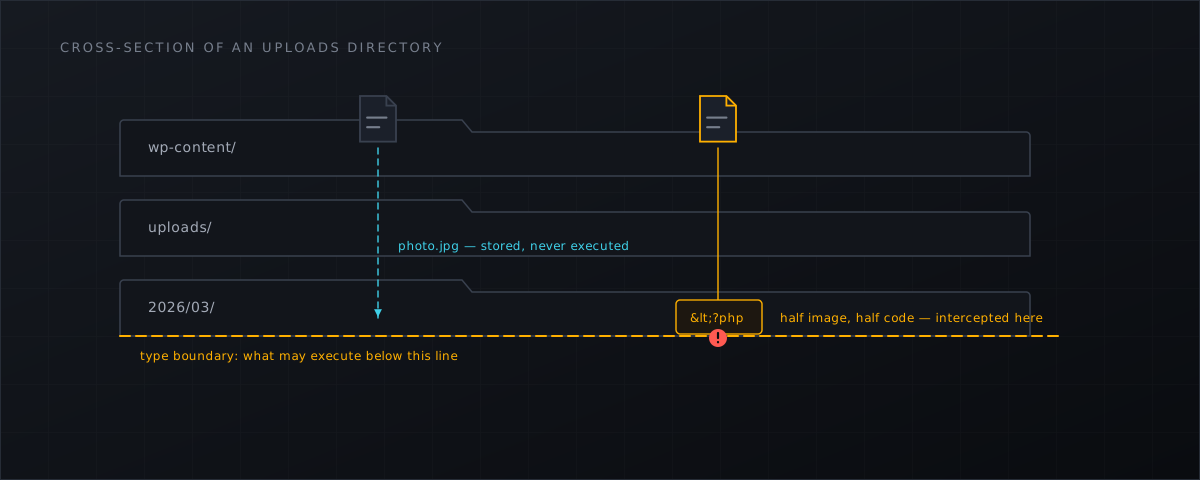
Almost every webshell on a shared host arrives through the same short story: a plugin accepts a file it should have rejected, the file lands somewhere the web server will execute it, and an HTTP request turns it into a shell. The details are worth knowing, because each step has a different control.
Step one: the upload that should not have been accepted
Wordfence’s 2024 Annual WordPress Security Report recorded 8,223 WordPress vulnerabilities disclosed in 2024, 96% of them in plugins, and found that arbitrary file upload was the most common high-threat vulnerability type of the year. That is the category which puts attacker-chosen bytes on your disk in one request.
The volume has not levelled off. Patchstack counted 11,334 new WordPress vulnerabilities in 2025 , a 42% increase, with 17% rated high severity — itself up 113% year on year. Its 2025 edition, covering 2024, put arbitrary file upload at 2.87% of all disclosed vulnerability types : a small share of a very large number, and the share that hurts most.
Step two: where the file lands
Incident reporting names the directories, which is far more useful than campaign names.
- Elementor Pro
exploitation dropped files under
/wp-content/uploads/elementor/forms/. - Super Forms
exploitation produced
Mushr00w_upl.php. - The Hunk Companion
chain wrote to
/htdocs/aea74fff3c02.php. - Balada Injector
is documented using 176 distinct backdoor paths, including
wp-felody.php. - Sucuri’s research on malicious mu-plugins
describes backdoors installed as must-use plugins, with the payload stored in the database under an
_hdra_coreoption and anofficialwpadministrator account created alongside.
Two things follow. First, wp-content/uploads/ is the primary landing zone, and a .php file there is never legitimate — plugins ship their code in their own directories. Second, mu-plugins deserves a permanent place on your checklist: must-use plugins load on every request and never appear in the plugins screen.
Step three: making the file execute
Uploading a PHP file into a directory that refuses to execute PHP achieves nothing, so attackers solve that problem too. Wordfence’s write-up of the Ninja Forms campaign reproduces the captured requests, and they are the clearest available proof that these are not textbook techniques (Wordfence ):
- an
.htaccessuploaded asimage.jpg— the filename encoded as%2ehtaccess— carrying the lineAddType application/x-httpd-php .txt, which makes every.txtfile in that directory execute as PHP; - a
%PDF-1.4polyglot stored asnf_lab_10e31d63.php; - a
GIF89apolyglot path-traversed towp_cache.php.
The polyglots defeat “is this really an image?” checks that look only at the first few bytes. The .htaccess trick defeats extension allow-lists entirely: the uploaded file keeps a harmless extension, and the handler configuration is changed to suit.
# The pattern to look for in any .htaccess under a customer's web root
AddType application/x-httpd-php .txt
AddHandler application/x-httpd-php .jpg
Why “patch faster” is necessary but not sufficient
Patching remains the correct fix, and nothing below argues otherwise. But two measurements set the limits of patching as a hosting strategy.
Patchstack’s 2026 report puts the weighted median time to first exploitation at 5 hours, with 45% of exploitation occurring within 24 hours of disclosure, and records that 46% of the vulnerabilities disclosed in 2025 had no patch available at the moment of disclosure.
And patches only help when they are applied. Imunify360 measured that 84% of 2.6 million Elementor Pro sites were still unpatched two weeks after disclosure — roughly 2.1 million sites still vulnerable as at 31 August 2026. No hosting provider can patch two million third-party sites it does not control.
Old bugs stay profitable, too. CVE-2020-25213 in WP File Manager has been in the CISA KEV catalogue since 2021 and is still worth an attacker’s time, because unmaintained sites do not age out of the internet.
Closing the routes
Stop PHP executing in the uploads tree. A rewrite rule works on both Apache and LiteSpeed/OpenLiteSpeed, which matters on CyberPanel:
RewriteEngine On
RewriteRule ^wp-content/uploads/.*\.(php|phtml|phar|php[0-9])$ - [F,L]
Then verify it rather than trusting it. Put a file in the uploads directory that prints a marker and request it:
printf '<?php echo "SHELLTRAP-EXEC-TEST"; ' > /home/example.com/public_html/wp-content/uploads/exec-test.php
curl -s https://example.com/wp-content/uploads/exec-test.php | head -c 100
rm -f /home/example.com/public_html/wp-content/uploads/exec-test.php
If the marker string comes back, PHP still executes there and your rule is not doing what you think.
Audit .htaccess files. Any AddType, AddHandler, SetHandler or php_value line inside a customer’s tree deserves an explanation. The commands for sweeping a whole server are in finding webshells on a CyberPanel server manually
.
Check the file at upload time. Blocking execution in one directory does not help when the next vulnerability writes somewhere else. Scanning the uploaded temp file before PHP hands it to the application catches the file wherever it was destined to land; that is what the PHP upload gate does, including its fail-open behaviour and its limits.
Watch the writes. Every route above ends with a file appearing under a document root. That single event is the one thing all of these campaigns have in common, and it is observable at the host level regardless of which plugin was at fault. The broader campaign picture is in the WordPress webshell wave, 2024–2026 .
What this means for CyberPanel operators
- Add a rule that refuses PHP execution under
wp-content/uploads/to your standard vhost or site template — then verify it with a marker file, per site, once. - Sweep every customer
.htaccessfor handler directives and treat unexplained ones as an incident, not as a configuration quirk. - Put
wp-content/mu-plugins/on your investigation checklist next touploads/; it auto-loads and it is invisible in the admin UI. - Accept that you cannot patch other people’s sites in five hours, and add a detection layer that sees the write rather than the request. The installation path for CyberPanel hosts is in the installation docs .
Shelltrap scans uploads before PHP accepts them and watches the whole customer tree for the writes that get past everything else. See how it works .
Frequently asked
Is a PHP file in wp-content/uploads ever legitimate?
In our experience, no. Plugins that need to execute code ship it in their own directory. A .php, .phtml or .phar file under an uploads path is the single highest-value indicator on a WordPress host and should be treated as malicious until proven otherwise.
Does blocking PHP in the uploads directory solve the problem?
It removes the most common landing zone, and it is worth doing. It does not stop uploads into plugin directories, mu-plugins backdoors, modified core files or handler abuse elsewhere, so it is one control among several.
We patch quickly. Is that not enough?
Patching is the correct fix and should stay your first priority. But Patchstack measured a weighted median time to first exploitation of five hours in 2025, and 46% of the vulnerabilities disclosed that year had no patch available at disclosure. Detection covers the window patching cannot.
Sources
Every number, date and vendor claim in this article links to one of these.
- Wordfence, 2024 Annual WordPress Security Report — accessed 2026-09-04
- Patchstack, State of WordPress Security in 2026 (covering 2025) — accessed 2026-09-04
- Patchstack, State of WordPress Security in 2025 (covering 2024) — accessed 2026-09-04
- Imunify360 blog — two weeks after the Elementor Pro disclosure, 84% of sites still had not patched — accessed 2026-09-04
- Wordfence — attackers actively exploiting a critical vulnerability in the Ninja Forms file upload plugin — accessed 2026-09-04
- Wordfence — attackers actively exploiting a critical vulnerability in Elementor Pro — accessed 2026-09-04
- Wordfence — attackers actively exploiting a critical vulnerability in Super Forms — accessed 2026-09-04
- WPScan — unauthorized plugin installation and activation in Hunk Companion — accessed 2026-09-04
- Sucuri — Balada Injector: synopsis of a massive ongoing WordPress malware campaign — accessed 2026-09-04
- Sucuri — hidden malware strikes again: mu-plugins under attack — accessed 2026-09-04
- CISA Known Exploited Vulnerabilities catalogue — accessed 2026-09-04
More from the research desk
False positives on WordPress core, and what to do
Which WordPress files trip generic malware heuristics, why entropy alone is a bad signal, and how to tune a host-level …
GuidesFind webshells on a CyberPanel server manually
A root-level triage playbook with find, grep, YARA and clamscan for CyberPanel hosts, including the honest limits of …
AnalysisThe WordPress webshell wave, 2024–2026: what the data shows
Sourced campaigns, CVE chains and file-level indicators from the 2024–2026 WordPress backdoor wave — with the dates, the …
Shelltrap watches the files this article is about
Real-time detection, an upload gate in front of your PHP, explainable verdicts, and nothing leaving your server.