Guides
Find webshells on a CyberPanel server manually
A root-level triage playbook with find, grep, YARA and clamscan for CyberPanel hosts, including the honest limits of every one of those commands.
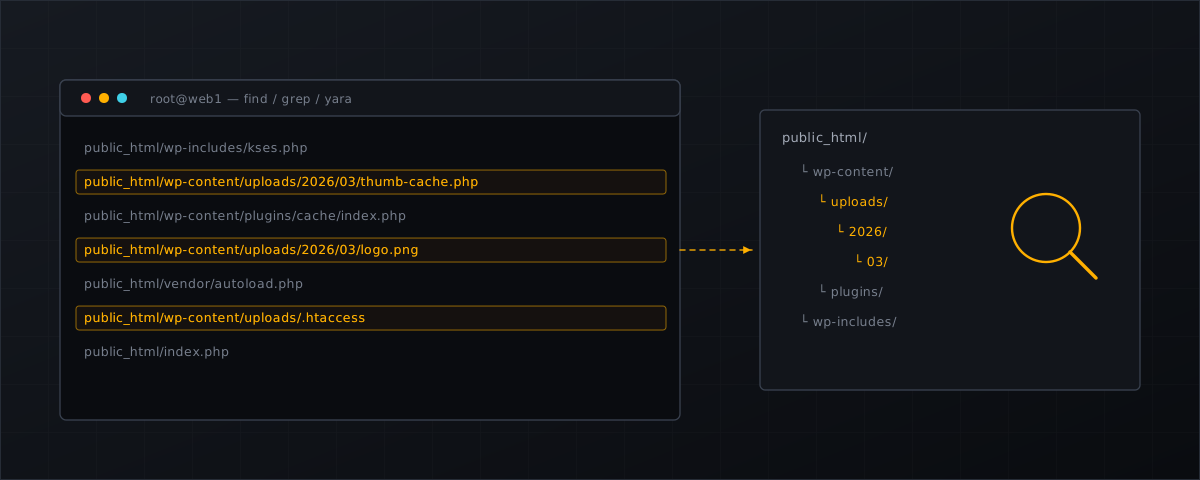
This is the sweep we run before anything else when a CyberPanel host is suspected of hosting a webshell. Everything below uses tools that are already on the box. Everything below also has a limit, and the limits are the reason the article is longer than the command list.
Work as root, on the server, and read before you delete.
Where to look on CyberPanel
CyberPanel puts each site’s document root at /home/<domain>/public_html. That makes server-wide sweeps easy, and it means one careless glob can walk every customer’s data at once — so keep -xdev on your find invocations and use grep -r (which follows symlinks only when they are named on the command line) rather than grep -R.
You are reading customer files as root. Have a documented operational reason for doing it, and keep the output where the rest of your incident notes live.
1. PHP where PHP has no business being
The single highest-value check on a WordPress host. A .php file below an uploads directory is not a configuration quirk:
find /home/*/public_html/wp-content/uploads -xdev -type f \
  \( -name '*.php' -o -name '*.phtml' -o -name '*.phar' -o -name '*.php[0-9]' \) -print
Extend the same idea to the other auto-loading location that never shows up in the WordPress admin UI:
ls -la /home/*/public_html/wp-content/mu-plugins/ 2>/dev/null
2. Recently written files
MITRE’s Linux detection analytic for web shells (AN1109) names file creation in the web directory as the primary signal, so start with what changed:
find /home/example.com/public_html -xdev -type f -name '*.php' \
  -newermt '-7 days' \
  -printf '%TY-%Tm-%Td %TH:%TM  %10s  %p\n' | sort
Then run it again against the inode change time. mtime is set with touch in one command; ctime is not:
find /home/example.com/public_html -xdev -type f -newerct '-7 days' \
  -printf '%CY-%Cm-%Cd %CH:%CM  %10s  %p\n' | sort
A file whose mtime is two years old and whose ctime is Tuesday is worth opening.
3. Obfuscation markers
Grep finds the lazy half of the population:
grep -rIl --include='*.php' -E \
 'eval[[:space:]]*\(|assert[[:space:]]*\(|base64_decode[[:space:]]*\(|gzinflate[[:space:]]*\(|str_rot13[[:space:]]*\(|create_function[[:space:]]*\(|\$_(GET|POST|REQUEST|COOKIE)[[:space:]]*\[[^]]*\][[:space:]]*\(' \
 /home/example.com/public_html
Expect noise. WordPress core and common libraries use base64_decode legitimately, and the last alternative in that pattern — a variable function call built from request data — matches real templating code as well as real backdoors. We list the specific core files that trip heuristics of this shape in false positives in malware scanning
.
Expect misses, too. Concatenated identifiers ("ev"."al"), character-code arithmetic and multi-stage loaders all defeat a literal pattern. Grep is a filter, not a verdict.
4. Handler abuse in .htaccess
Captured exploit traffic shows attackers uploading an .htaccess that makes a harmless extension execute as PHP, so read every one of them:
grep -rIls --include='.htaccess' -E \
  'AddType|AddHandler|SetHandler|php_value|php_flag|ForceType' \
  /home/*/public_html
Anything that maps .txt, .jpg, .ico or .log to a PHP handler is an incident.
5. Known-good comparison
The NSA’s repository on mitigating web shells is unambiguous about which method works best, verbatim :
The most effective method of discovering most web shells is to compare files on a production web server with a known-good version of that application, typically a fresh install of the application where available updates have been applied.
For WordPress you get most of that for free, as the site’s own user:
sudo -u example wp core verify-checksums --path=/home/example.com/public_html
sudo -u example wp plugin verify-checksums --all --path=/home/example.com/public_html
This covers core and plugins distributed through wordpress.org. It does not cover themes, premium plugins, or anything the attacker added that was never part of a package — which is why it complements the find sweeps rather than replacing them.
6. YARA
YARA is where obfuscation-aware detection starts:
yara -r -w -f /opt/rules/webshells.yar /home/example.com/public_html
Two cautions before you adopt a rule set. First, licensing: rule collections are frequently mixed-licence artefacts, and a rule that is fine for personal use may not be fine inside a commercial hosting service. The corpus at bartblaze/PHP-backdoors — obfuscated and deobfuscated samples, CC0 — is a good way to test a rule set against both halves of the problem before you trust it, and its README points at the community YARA webshell rules as the starting point. Check the licence of whatever you pick.
Second, false positives. The NSA repository describes its own extended rules — the ones that detect obfuscation and encoding — as “likely to produce a significant number of false positive results.” That is the trade every heuristic layer makes, stated by a source with no product to sell.
7. ClamAV
clamscan -r -i --max-filesize=25M --max-scansize=100M /home/example.com/public_html
Useful, and frequently misunderstood. ClamAV’s own documentation states, verbatim:
ClamAV is not a traditional anti-virus or endpoint security suite.
There is no official claim of PHP webshell coverage on clamav.net, checked 4 September 2026. Webshell detection with ClamAV comes from third-party signature feeds — which makes the freshness of your chosen feed the thing to audit, not the scanner. When we measured the free feed that most self-built stacks use, cdn.rfxn.com/downloads/rfxn.yara returned Last-Modified: Sun, 24 May 2026 14:33:02 GMT:
curl -sI https://cdn.rfxn.com/downloads/rfxn.yara | grep -i last-modified
Re-run that yourself before you rely on it; a feed can resume at any time, and a stale date on the day you read this article is not the same as a stale date today. We go through the whole free stack in ClamAV alone is not enough for webshells .
The limits, stated plainly
- A sweep is a point in time. Patchstack’s measured weighted median time to first exploitation in 2025 was five hours. Whatever you find today says nothing about tomorrow morning.
- Timestamps lie. Ordering by
mtimealone will hide a competent attacker’s file. - Literal patterns lose to obfuscation, and broad heuristics produce false positives — you get to pick which failure mode you want, and both need a human.
- One account is not the server. If a customer is reinfected after a clean-up, the backdoor may be in a neighbouring account; see shared hosting cross-account risk .
- Finding is not fixing. The order of operations for cleaning up afterwards is in the server-side backdoor removal checklist .
What this means for CyberPanel operators
- Script the three cheap checks — PHP under uploads,
.htaccesshandlers,ctimein the last seven days — and run them from cron with output mailed to you. They cost nothing and they catch the majority of routine drops. - Pick a YARA rule set deliberately, check its licence for commercial use, and validate it against a public corpus before it touches customer data.
- Audit the freshness of any signature feed you depend on, and alert on it. A feed that quietly stops updating fails silently.
- Treat the manual sweep as incident response, not as monitoring. Continuous coverage needs something watching writes as they happen; the setup for that on CyberPanel is in the installation docs .
Shelltrap runs these checks continuously instead of on the day you get suspicious, with per-domain policies and explainable findings. See what it does .
Frequently asked
Can I trust file modification times?
Not on their own. mtime is trivially set with touch. The inode change time is harder to forge from userspace, so search with -newerct as well as -newermt and treat a file whose mtime is old but whose ctime is recent as suspicious.
Is clamscan enough on its own?
No. ClamAV’s own documentation states it is not a traditional anti-virus or endpoint security suite, and there is no official claim of PHP webshell coverage. Webshell detection with ClamAV depends on third-party signature feeds, so the freshness of the feed you chose is the thing to check.
How long does a manual sweep stay valid?
Until the next write. Patchstack measured a weighted median time to first exploitation of five hours in 2025, so a sweep is a point-in-time answer, not a state you can maintain by repeating it weekly.
Sources
Every number, date and vendor claim in this article links to one of these.
- nsacyber/Mitigating-Web-Shells (NSA repository) — accessed 2026-09-04
- ClamAV documentation — accessed 2026-09-04
- Linux Malware Detect signature feed, rfxn.yara (measured with curl -I) — accessed 2026-09-04
- bartblaze/PHP-backdoors — public corpus and its pointer to YARA webshell rules — accessed 2026-09-04
- Patchstack, State of WordPress Security in 2026 (covering 2025) — accessed 2026-09-04
- MITRE ATT&CK T1505.003 — Server Software Component: Web Shell — accessed 2026-09-04
More from the research desk
ClamAV alone is not enough for webshells
ClamAV says so itself. What the engine covers, where PHP webshell detection actually comes from, and what a layered …
ComparisonsCXS alternatives in 2026: the honest field guide
ConfigServer closed on 31 August 2025. What replaced cxs, what the options cost as at 4 September 2026, and what runs on …
AnalysisCXS is gone: what CyberPanel operators should do next
Way to the Web closed on 31 August 2025. csf survived via GPLv3 forks, cxs did not. What that means for a stock …
Shelltrap watches the files this article is about
Real-time detection, an upload gate in front of your PHP, explainable verdicts, and nothing leaving your server.